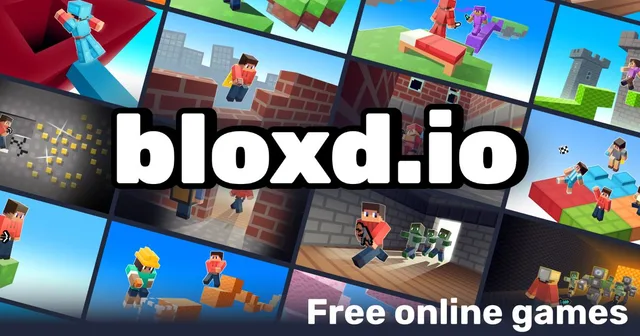
The Minecraft-sandbox genre is crowded, but Bloxd.io stands out for how much game hides behind one lobby: bed defenses, parkour towers, build-and-vote parties and a proper survival mode all run in the same browser tab. It is an easy pick for players who want Minecraft-adjacent multiplayer without installs or account setup, and the gold-upgrade shop gives even short sessions a sense of progress. If you only try one mode, make it Bedwars - the mix of building and PvP is where this game shines.
About Bloxd.io
Bloxd.io is a free multiplayer voxel sandbox that runs straight in your browser, mixing Minecraft-style building and survival with quick, arcade-flavored minigames. Independent developer Arthur started the project around 2021, and it has since grown into a rotating lineup of dozens of modes played by millions of people every month.
The lobby is a menu of whole games in themselves. Gather resources, craft tools and keep your stuff safe in Survival, the most popular mode, or build without limits in Creative and host a free private server for friends. Competitive players get Bedwars and Lucky Bedwars (protect your bed, then raid), Skywars and Skyblock island battles, and CubeWarfare. Movement fans can chain jumps through the parkour maps of BloxdHop or climb the vertically brutal EvilTower, while One Block grows an entire base out of a single starting tile. DoodleCube turns drawing party games into 3D: build the prompt out of blocks and let other players vote on whose build reads best. New modes such as Murder Mystery keep landing with regular updates.
Most modes pay out gold for finishing maps or eliminating opponents, and the in-game shop turns that gold into speed boosts, double jumps and other temporary power-ups. Everything plays on desktop and mobile browsers with no downloads or account setup.
How to Play
Pick a mode from the lobby and join a room - Peaceful is the gentlest start, with no hostile mobs or health bar while you learn the controls. Move with WASD, look with the mouse, and follow each mode's on-screen prompts. In Survival and Creative you can open your own free private server to play with friends. Earn gold in most modes by completing maps or taking out opponents, then spend it in the shop on upgrades like speed, double jump or temporary power-ups.
Controls
Move / jump / run - WASD
Run (alternative) - Shift or double-tap W
Crouch - C or Caps Lock
Look / aim - Mouse
Destroy block - Left click
Place block - Right click
Select item - 1-8 or mouse wheel
Chat - T or Enter
Shop - B
Commands - / (slash bar)
Tips & Tricks
Start in Peaceful mode to learn the controls - no hostile mobs or health bar while you practice.
In parkour modes like BloxdHop and EvilTower, master running (Shift or double-tap W) and chained jumps; many gaps need maximum momentum.
Spend gold on speed boosts, double jump and enhanced jumps - they open up shortcuts and distant platforms.
In Bedwars, protect your bed with blocks before going out to attack. It is what keeps you in the game.
In One Block and Skyblock, think about every block you place: resources are tight at the start.
In DoodleCube, nail a recognizable outline first and add details after - the voting moves fast.
In Lucky Blocks Battlegrounds, do not break everything at once; some surprises (like explosions) affect your surroundings.
Features
Dozens of multiplayer modes in one client: Survival, Creative, Bedwars, Skywars, One Block, Skyblock, BloxdHop and more
Minecraft-style building, crafting and combat that runs directly in the browser - no downloads
Plays on desktop and mobile browsers, keyboard and mouse or touch
Gold-based upgrade shop with speed boosts, double jump and temporary power-ups
Free private servers in Survival and Creative for playing with friends
Parkour modes with timed runs, checkpoints and power-ups (BloxdHop, EvilTower)
DoodleCube build-and-vote party mode, like a drawing game in 3D
Frequent updates adding new modes such as Murder Mystery and CubeWarfare
Latest Updates
Added to PlayBloo
Survive, build, parkour and battle it out in a free Minecraft-style sandbox with dozens of multiplayer modes. Discovered via MiniPlay's game catalogue and added to the PlayBloo catalogue with details verified against the official site.
 PlayBloo