 PlayBloo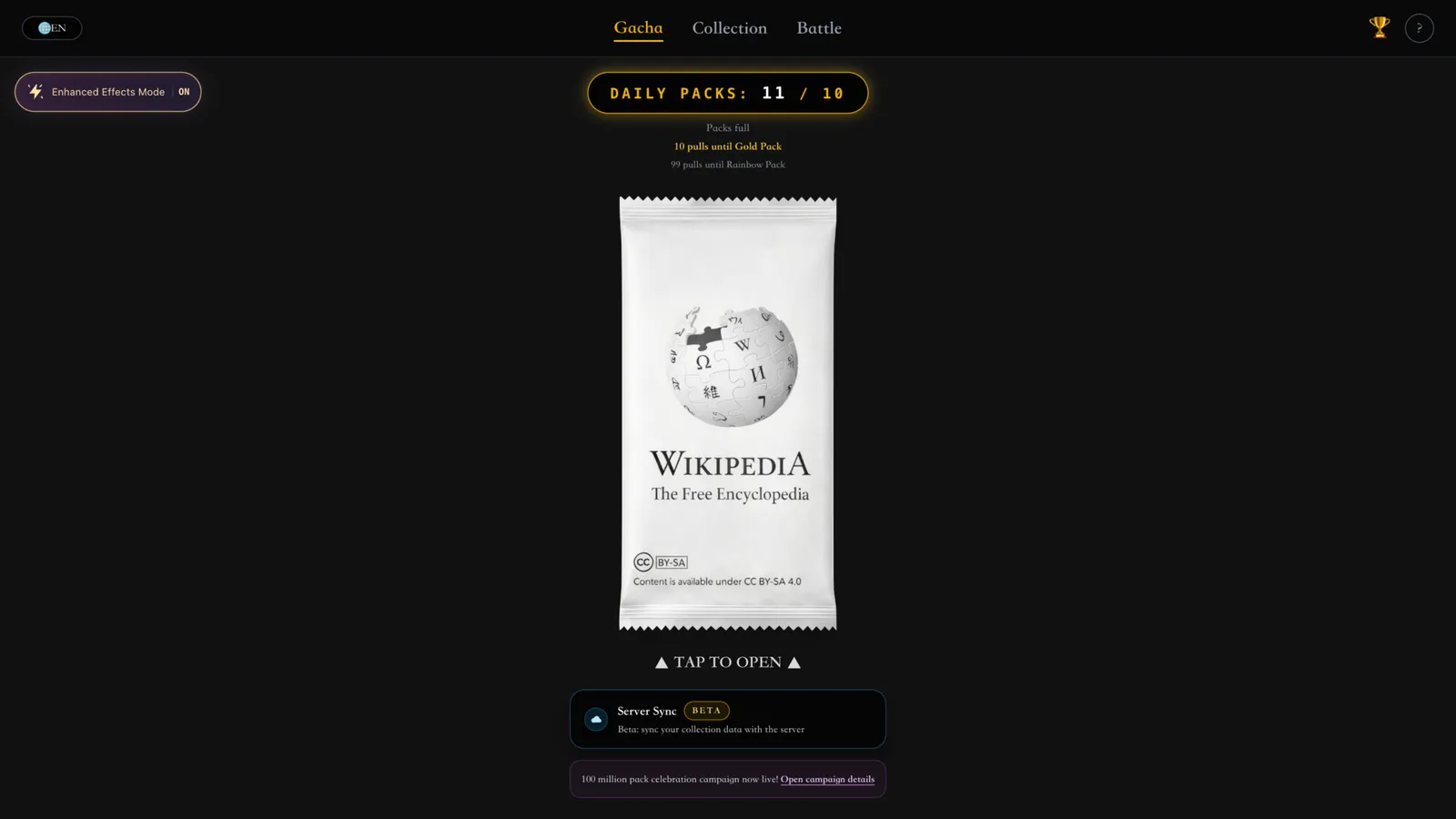
Your first pack
You can start pulling without an account. The optional Server Sync beta can back up your collection to the developer's server, and the game's own update notes recommend exporting a backup from the collection page before relying on it.
Open the official WikiGacha game- Open wikigacha.com and pick your language from the globe menu — the game has seven, including English and both Chinese variants.
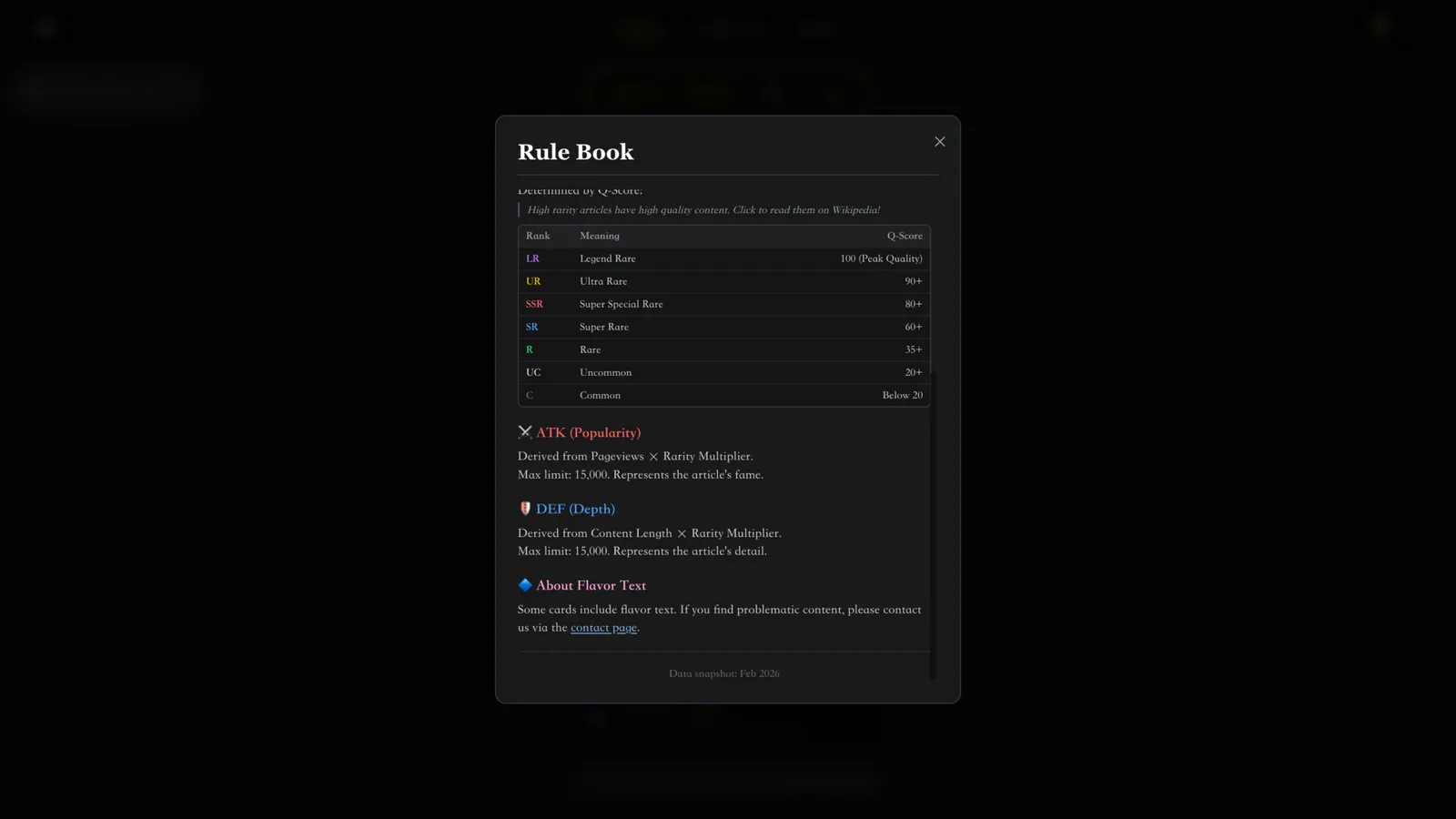
- Tap the Wikipedia booster pack in the middle of the screen. Five cards appear, each showing a rarity badge, the article title and ATK/DEF values.
- Click any card to open the Wikipedia article it came from; the game counts this towards the “Open Wikipedia once” daily mission.
- Pulled cards register into your collection automatically, and unusual pulls unlock trophies.
The pack timer and the Gold Pack guarantee
The pack counter at the top of the screen shows how many packs you hold, up to ten. Below ten, a timer grants one free pack per minute — roughly ten minutes for a full stock — and refills continue while the game is closed. Opening a pack restarts the timer.
The screen also tracks two pity counters: “pulls until Gold Pack” and, during the current campaign, “pulls until Rainbow Pack”. After every ten packs opened, the next one becomes a Gold Pack that guarantees at least one Super Rare (SR) or higher card. The hundred-million-pack campaign running as of October 2026 adds a Rainbow Pack with an SSR+ guarantee as the day's first pull, another Rainbow Pack every hundred pulls and Black Packs with a UR+ guarantee tied to login stamps — event extras like these can change or end.
Daily missions: the fastest way to earn packs
Five daily missions appear on the pack screen, and each completed mission pays two extra packs — ten extra in total for a full sweep. Bonus packs earned this way stack above the ten-pack cap: after completing one mission, the counter read 11/10 in our check.
| Daily mission | Requirement |
|---|---|
| Open 5 packs | Pull five packs in one day |
| Pull at least one SR+ card | Any Super Rare or higher card counts |
| Open Wikipedia once | Click through to any pulled card's article |
| Share your result | Use the Share Result button after a pull |
| Watch one ad | A rewarded ad watched in the game |
Battle modes, from raids to the story expedition
The Battle menu lists four modes with their own rules. Daily Raid Battle challenges one powerful raid boss each day with up to 50 cards, and the boss's HP carries over between attempts until it is cleared. Single Random Battle picks one card from your collection against a random opponent of a similar grade, while Team Battle has you arrange five cards in battle order against another five-card team.
Story Expedition is the newest mode: battles earn insight, which strengthens five chosen cards so you can push into deeper stages. The developer keeps expanding it — the October 30, 2026 update added achievements, difficulty display and damage prediction to boss battles.
Saving, syncing and backing up
Your collection and trophies persist in the browser by default, so clearing site data wipes them. The Server Sync beta, marked on its button, syncs collection data with the developer's server. Before trusting it, the game's own guidance is to export a local backup from the collection page — its update log has repeatedly recommended re-exporting backups after sync changes.