Undead Corridor
Instant play
Ready to play in this page
Play Undead Corridor here without a download.
245 views 11 plays Released Oct 22, 2025 Play HereSource checked
About Undead Corridor
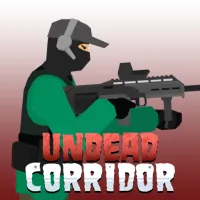
Undead Corridor is a fast-paced 2D zombie survival shooter where you fight hordes of undead in confined environments such as corridors, hospital areas, rooms, and streets. As a lone survivor, your goal is to stay alive while managing limited ammunition, keeping enemies at a safe distance, and clearing as many zombies as possible.
Different zombie types vary in speed, toughness, and aggression, forcing you to adjust your aim and weapon choice as the pressure increases. Earn in-game money by surviving and defeating enemies, then spend it on stronger weapons that can help you handle increasingly dangerous encounters.
The game includes multiple survival modes with different rules and environments, giving you more than one way to test your shooting accuracy, ammo management, and ability to survive under pressure.
How to Play
Choose a game mode and enter a zombie-infested area. Your objective is to eliminate approaching zombies, survive for as long as possible, and progress through increasingly dangerous encounters.
Move sideways to maintain distance from enemies, aim carefully, and shoot before zombies get close enough to attack. Ammunition is limited, so reload during safer moments instead of waiting until a zombie is directly in front of you. You can also switch between available weapons depending on the situation.
If a zombie gets too close, use your kick to push it back and create enough space to shoot or reload. Clearing corridors and surviving challenges earns in-game currency that can be spent on new and more powerful weapons.
Different modes change the survival conditions. Depending on the mode, you may clear corridors and rooms, defend a position, survive continuous street hordes, or practice weapons in a training environment.
Controls
Desktop
A / D – Move sideways
Left Mouse Button – Aim and shoot
R – Reload
Q – Switch weapons
Spacebar – Kick nearby zombies backward
Mobile
Use the on-screen touch controls where supported.
Controls may vary slightly between hosted versions. Follow the in-game prompts if additional controls are shown.
Tips & Tricks
Keep zombies at a safe distance because close-range attacks can quickly put your run in danger.
Reload during quiet moments instead of waiting until enemies are already close.
Use the kick when a zombie reaches close range to create space before shooting again.
Avoid wasting ammunition on unnecessary shots; accurate fire becomes increasingly important as enemies get tougher.
Switch weapons when your current gun is poorly suited to the enemies approaching you.
Spend earned currency on stronger weapons to prepare for harder encounters.
Try the different game modes because each one changes the way you need to manage movement, weapons, and survival.
Features
Fast-paced 2D zombie survival shooting
Multiple game modes with different survival challenges
Corridor, hospital, room, street, defense, and training-style environments
Different zombie types with varying speed, toughness, and aggression
Wide selection of purchasable weapons
Weapon progression using in-game currency
Ammo management and manual reloading
Kick mechanic for pushing nearby zombies away
Ragdoll physics and gore effects
Browser gameplay on desktop, tablet, and mobile
Continue discovering