 PlayBloo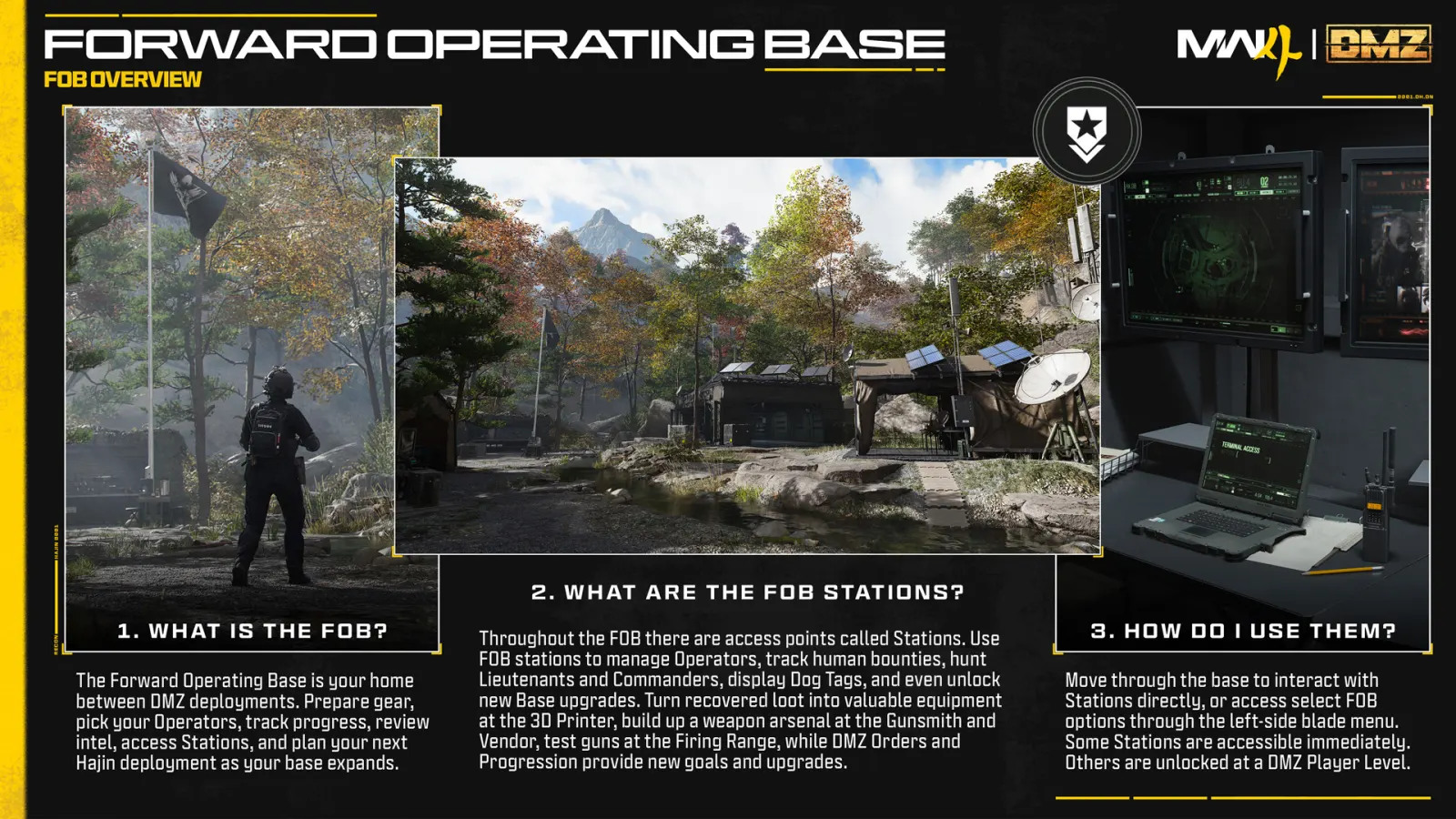
What is the FOB?
FOB means Forward Operating Base: the hub between DMZ deployments. It brings together equipment preparation, inventory, objectives and longer-term upgrades. You can visit facilities in the camp and access selected functions through its menus.
FOB stations and unlock conditions
Level requirements below refer to your DMZ player level. The Boss Board uses an Order milestone instead.
| Station | Unlock | Use |
|---|---|---|
| Operators | Start | Choose an Operator; manage Traits |
| DMZ Orders | Start | Review objectives |
| Stash / Loadout | Start | Store loot; equip gear |
| Firing Range | Start | Try weapons |
| Survival Kits | Start | Open supply packs |
| Bounty Leaderboard | Start | Check PvP standings |
| DMZ Progression | Start | See progression rewards |
| Events | Start | Review events |
| Deploy | Start | Begin a deployment |
| 3D Printer | DMZ level 2 | Craft and upgrade |
| Boss Board | Complete your second DMZ Order | Access boss intel |
| Vendor | DMZ level 5 | Buy equipment |
| Gunsmith | DMZ level 10 | Build and modify weapons |
| Dog Tag Case | DMZ level 20 | Display collected tags |
Start with your current Orders
Our recommendation is to read the active Order before choosing an upgrade target. Write down its immediate requirement, then check whether you need a facility unlock, equipment or a successful return with something specific. This makes the next deployment a concrete task instead of a general search for more loot.
If the Boss Board is still locked, check the Order milestone in the table before spending time chasing another level.
Resources, ingredients and recipes
Pin a recipe to track its ingredients while looting. The printer displays required amounts and ingredient-location hints. It can send crafted items to storage or your Operator.
Our recommendation: choose one near-term craft and compare your missing quantities before departing. A large resource total alone is not proof that you have every required ingredient.
| Item type | How to treat it |
|---|---|
| Resources | Synthetics, Electronics, Chemicals and Metals are separate material totals; they do not consume Stash slots. |
| Ingredients | Individual crafting items take inventory space. Match them to the recipe you want. |
| Recipes | Extract with a recipe to unlock it for the printer. |
| Weapon Manuals | Extract with a manual to unlock that weapon for Gunsmith purchases. |
| Valuables | May be sold for cash or used for upgrades. Check before selling. |
What should you craft first?
The printer makes equipment and support items, rather than primary, secondary or melee weapons. Weapon purchasing and modification belong to other services.
Choose a craft around the problem that ended your previous run. We suggest checking recovery supplies if you repeatedly run out, protection if you cannot survive an encounter, or carrying capacity if the objective consistently fills your inventory. Compare the actual recipe cost before committing scarce materials. This is a decision framework, not a verified best crafting order.
Stash management and upgrade priorities
Base upgrades can expand storage and improve services, including the printer, Vendor and Gunsmith. The published systems include bank capacity, additional Operator capacity and recovery-related upgrades.
Our recommendation is to spend on the constraint you encounter repeatedly. If you finish every run unable to store the items for your next objective, inspect the relevant storage upgrade. If storage is comfortable but a planned craft is blocked, check the printer requirement instead. Keep your next equipment purchase in mind before spending all available cash.
Do not use an older DMZ warehouse limit as an MW4 capacity figure. We have not verified a complete maximum-capacity and upgrade-cost table for this version.
Why is a station or craft unavailable?
| Problem | Check next |
|---|---|
| Station is locked | Compare its unlock condition with your current DMZ progress. |
| Printer is open but an item is unavailable | Check the recipe, printer upgrade requirement and each material quantity separately. |
| You have cash but cannot make a craft | Cash and crafting materials answer different requirements; read the selected recipe. |
| You are unsure whether to sell an item | Check the next planned upgrade and tracked recipe first. |
| A guide shows different costs | Compare the game version and current in-game requirement before spending. |
Plan the next deployment
Pick the facility or item you want to work toward, note the missing requirement, and choose a manageable objective. Return to the DMZ overview for the basic deployment and extraction loop.
MW4 DMZ: getting started and extractingGuide coverage
Checked October 21, 2026 using publisher material and a cross-check of the facilities reference. PlayBloo has not played MW4 DMZ. This guide does not claim a tested fastest upgrade route, a complete recipe database or verified maximum Stash capacity.