 PlayBloo
Step 1: pick a server
The first screen asks you to choose a máy chủ (server). Each server keeps its own characters, progress and Ngọc balance — an account made on S1 does not follow you to Gốc. The game marks one server as the suggested home for newcomers; returning players must remember their old server to log back in.
Counts shift constantly and at peak hours you may wait in a queue with a lotus loading screen, a Dhammapada quote and an apology if the temple fills up. If one server feels crowded, another with a shorter wait is fine; your friends simply need to pick the same one. All five were online when we checked on the evening of November 7, 2026:
| Server | Role | Players online at our check |
|---|---|---|
| Máy chủ Gốc | The original server, the biggest crowd | 255 |
| Máy chủ S1 | Second server — the one suggested to new players | 172 |
| Máy chủ S4 | The newest server | 102 |
| Máy chủ S2 | Third server | 73 |
| Máy chủ S3 | Fourth server | 61 |
Step 2: ask for a dharma name and shape your avatar
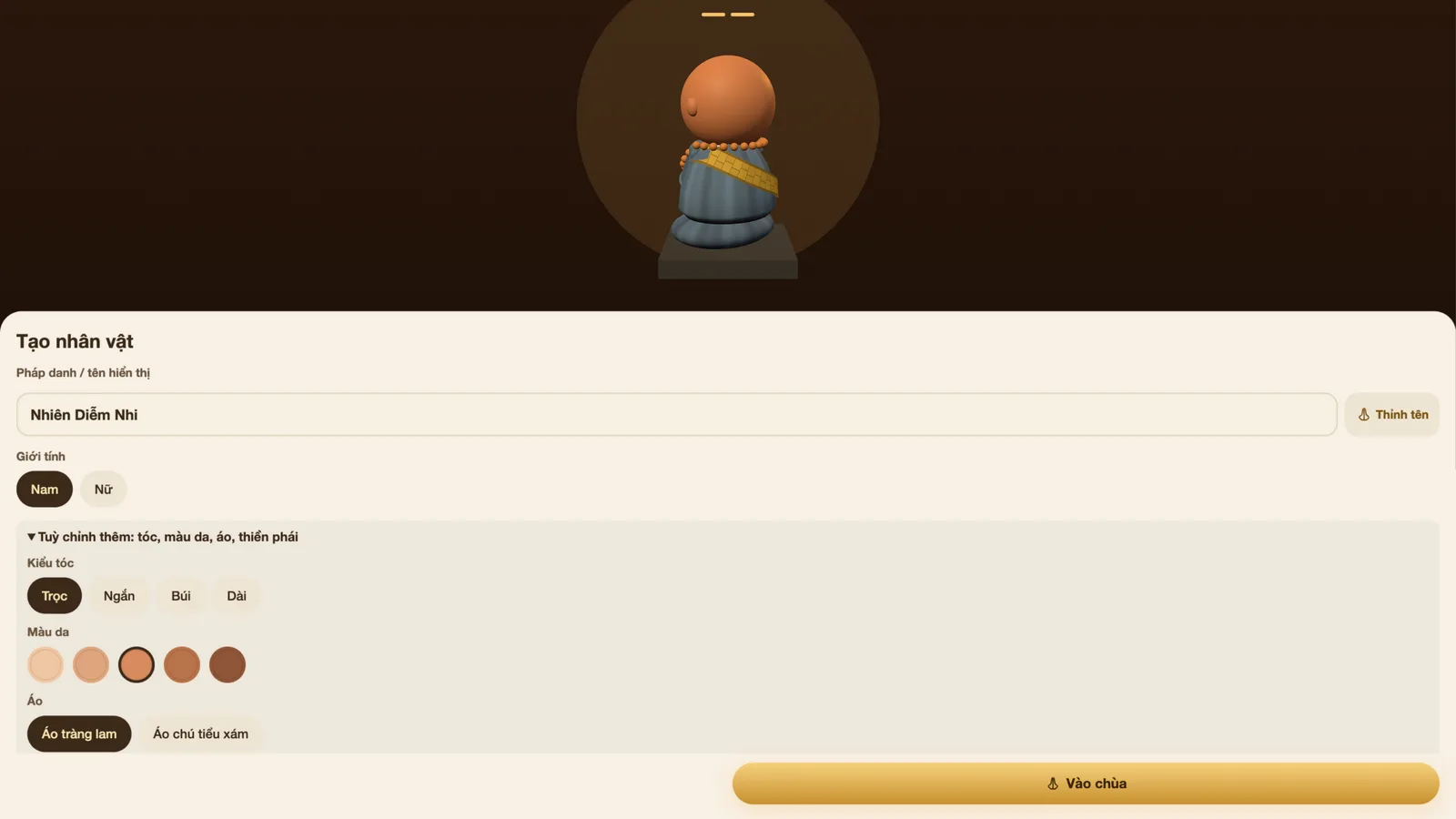
Character creation is a two-step card. You pick a server, then receive a randomly granted dharma name (pháp danh) — the button Thỉnh tên asks the Buddha for another one until something feels right. Names are how other practitioners will see you, and the FAQ notes a rename request is free once every seven days if yours ever needs to change.
Choose Nam or Nữ, then open the extra options: four hair styles (bald, short, bun, long), five skin tones, and two starter robes — the blue-grey áo tràng lam or the grey novice robe. You also pick a thiền phái, one of four real Vietnamese Buddhist schools; each gives a permanent bonus to a different practice, and the default Tịnh Độ is a fine first choice. Switching later costs 200 Ngọc and keeps your level, so do not agonise.
Finally, tick that you have read the terms and press Vào chùa. No email, phone number or password is required — the site issues your browser a random login code and stores it locally. You can add an optional username and password afterwards from the prompt that appears in-game; the site says passwords are stored one-way hashed. Your recovery code (Hồ sơ → Tài khoản) is what carries the account to a new device, so save it.
| Sect (thiền phái) | Known for | Practice bonus |
|---|---|---|
| Trúc Lâm | The Zen school founded by king Trần Nhân Tông | Meditation ×1.3 |
| Tịnh Độ (default) | Amitābha recitation, Pure Land practice | Beads and name-chanting ×1.3 |
| Lâm Tế | Zen lineage common in central and southern Vietnam | Bows ×1.3 |
| Tào Động | Silent-illumination sitting | Quiet sitting ×1.5, meditation ×1.1 |
Step 3: your welcome gift and the first bow
Newcomers receive a welcome gift the moment they join: 100 Sen, three sticks of incense, two candles and one floating lantern. An in-game abbot — Chùa Vô Lượng's Thầy Tịnh Quang — greets you and can tell the temple's story, explain the Pure Land method or show you how to worship.
The game then runs a ten-step guided tour: how to walk, how to claim a bồ đoàn cushion, and what each action button does. The suggested first five steps are a good script for day one — walk to a cushion and sit, bow a few times or turn one rosary chain, light one of your gifted incense sticks, open Nhiệm vụ (quests) to collect rewards for what you just did, and come back tomorrow to start a check-in streak.
Do not be surprised if the hall you join is busy: on our first evening the suggested server listed over a hundred people in one temple, real wishes kept arriving on the lantern wall, and a ticker announced level-ups by name. Part of the game's appeal is precisely that the temple feels inhabited.
Open the official Niệm Phật Online siteControls on desktop and touch
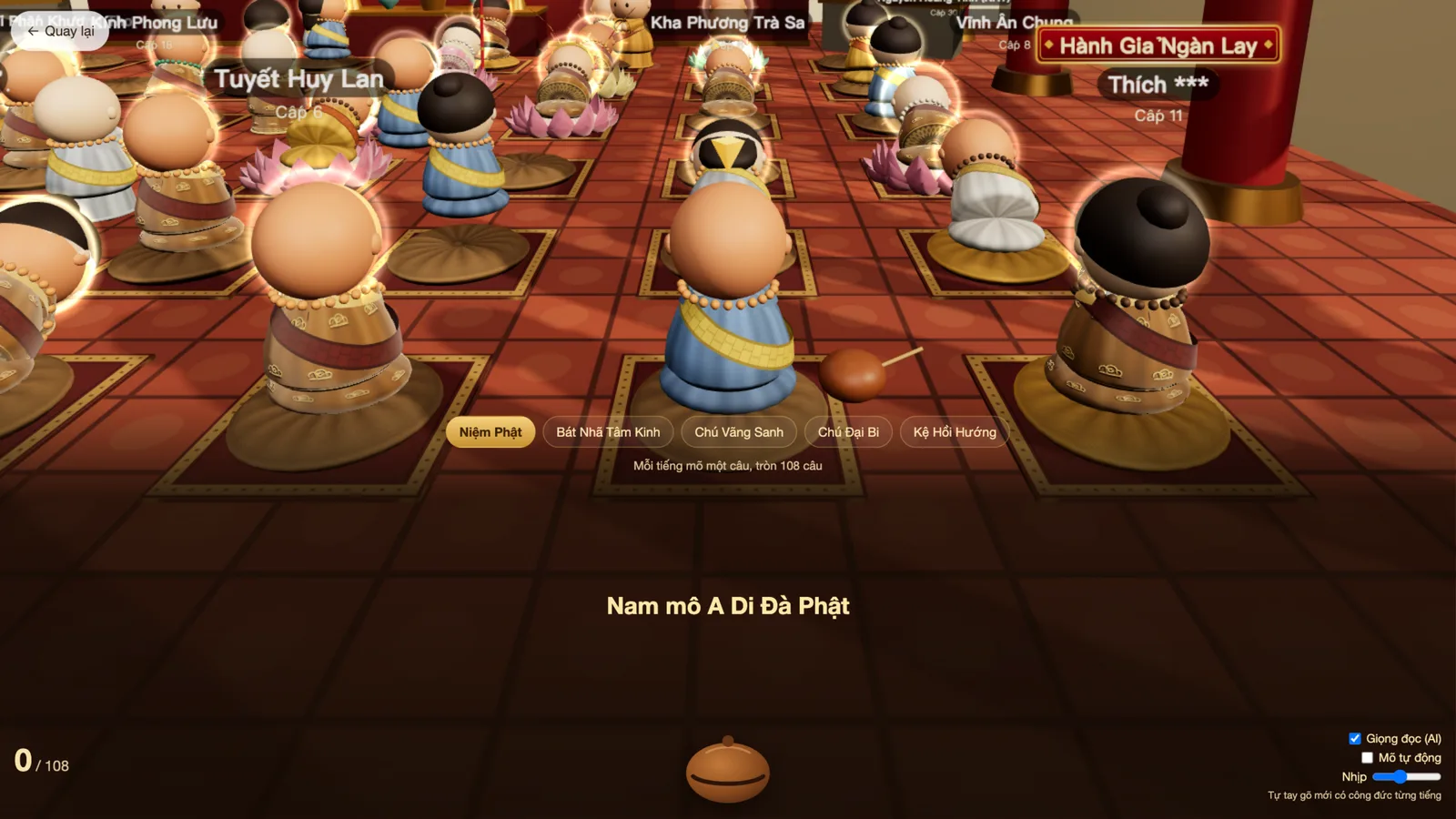
The game plays in portrait or landscape, and the settings offer a performance mode (Mượt) for older phones. Everything runs in the browser; headphones are recommended because the mõ, bell and group chanting are half the atmosphere.
| Action | Desktop | Touch |
|---|---|---|
| Walk | W A S D or arrow keys | Drag on the left half of the screen |
| Turn the camera | Drag with the mouse | Swipe the right half |
| Zoom | Mouse wheel | Pinch with two fingers |
| Sit / stand | Click a cushion, or the Ngồi xuống button when close | Same |
| Bow | B (toggles) | Lạy Phật button |
| Rosary | T (toggles) | Tràng hạt button |
| Tap a bead while counting | Space or ↓ | Tap or swipe down |
| Leave the rosary screen | Esc | Back pill |
Installing it like an app
Niệm Phật Online is a progressive web app. On Android, use Cài đặt → Toàn màn hình inside the game or your browser's Add to Home screen menu; on iPhone, Safari's Share menu offers Add to Home Screen. The team also ships an official Android app, Chùa Online | Niệm Phật Online, on Google Play — Vietnamese media counted more than 10,000 downloads of it during the first viral week.
One thing to know before installing for a child: the game displays a notice limiting players under 18 to 60 minutes per day per game and 180 minutes per day across games, matching Vietnam's gaming rules for minors.