Start with one clear connection
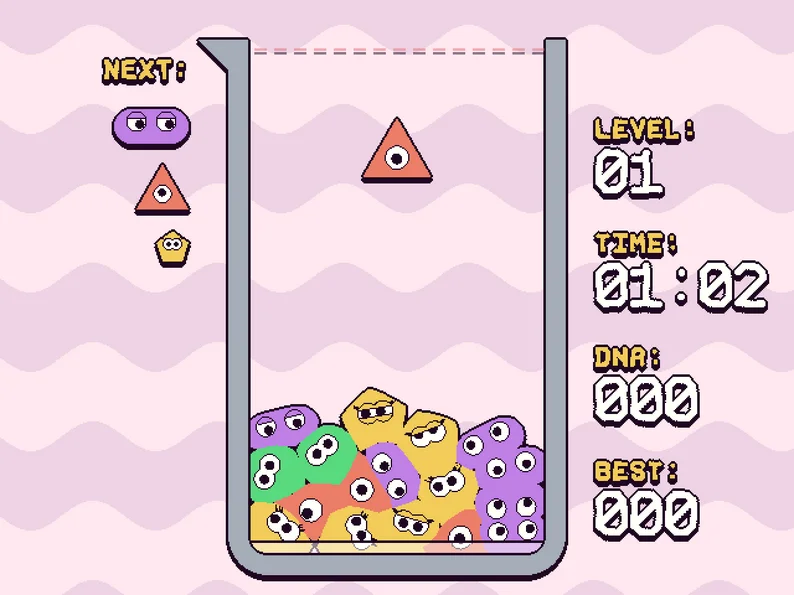
Open the official SPLOOB game- Open the official browser game and read its on-screen tutorial before starting a run.
- Pick one color in the pile to follow. Look across the beaker for the gap preventing a complete same-color row.
- Aim your next matching cell at that gap rather than spreading that color among several isolated groups.
- After a placement, reassess where the cells have settled before choosing your next target.
Why are my matching cells not clearing?
Check the entire row, not just the number of matching cells in one cluster. The useful question is whether the same color connects all the way across. If another color or an empty gap interrupts it, work on that missing connection.
A tall stack at each wall can still leave an unfinished middle. Try to connect the existing groups rather than continuing to make both stacks taller.
Placement habits to try
These are starting strategies based on the row objective, rather than a tested high-score route. Use a few runs to see which placements help you finish connections.
- Keep a target gap in mind: choose a placement that helps an existing path before starting another one.
- Use the NEXT queue to plan a follow-up, but check the active falling cell before moving it.
- Avoid building a narrow tower when a lower placement could extend a row across the container.
- Change one habit at a time and compare your results, so you can tell which adjustment helped.
Keyboard, controller and mobile play
SPLOOB lists keyboard and Xbox controller support. Follow the current game's tutorial or control screen for the exact button bindings; this guide has not verified them in a hands-on session.
If the keyboard does not respond, click inside the game to give it focus and try again. On a phone, loading an HTML5 page alone does not establish that touch input is supported. Touch play and controller behavior have not been tested here.