Death Spiral
External game
Continue to the game site
Death Spiral opens on the game site in a new tab.
104 views 2 plays External GameSource checked
About Death Spiral
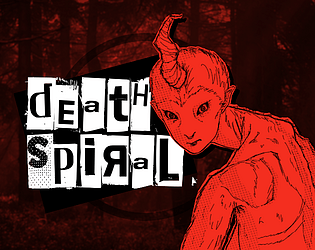
Death Spiral is a one-button horror roguelike built around timing actions on a spinning circular interface. Instead of controlling a character with conventional movement keys, you watch a marker rotate around the circle and press a single button at the right moment to attack enemies, defend yourself, and interact with other parts of the game.
Each enemy introduces different attack patterns and timing challenges. Some encounters change the direction or behavior of the rotating marker, forcing you to react to more than simple speed. Between battles, you can spend your earnings in a shop to improve attacks and other abilities, creating powerful combinations that can dramatically change how later rounds play.
The game was created for The Very Serious Juniper Dev Game Jam and combines a minimalist one-button control scheme with horror visuals, fast music, increasingly difficult encounters, a boss fight, and continued progression beyond the main sequence.
How to Play
Death Spiral is controlled with a single action button. During combat, watch the marker moving around the circular interface and press when it reaches the correct section. Good timing lets you perform attacks or respond to enemy actions, while poorly timed presses can leave you vulnerable or cost health.
Different enemies modify the timing challenge in their own ways. The speed can increase, the direction of rotation can change, and visual or mechanical effects can make it harder to predict when you should press.
After battles, you can visit the shop and purchase upgrades. The shop itself also uses the same circular timing mechanic, keeping nearly every interaction tied to the game's one-button design. Upgrades can interact with one another and create strong combinations, so choosing what to improve is an important part of each run.
Continue through increasingly difficult rounds, defeat the boss, and push farther into the game's continued progression for as long as your build can survive.
Controls
One-button controls
Keyboard – Press a key to perform the current action
Mouse – Click to perform the current action
Gamepad – Press a supported button to perform the current action
Touchscreen – Tap to perform the current action
The exact meaning of the button changes with the current situation, but timing is always the core mechanic.
Tips & Tricks
Focus on the position of the rotating marker and press deliberately rather than rapidly clicking.
Learn how each enemy changes the circle's behavior, because different encounters require different timing.
Do not assume the marker will always rotate in the same direction or at the same speed.
Use early rounds to learn the timing window before later encounters become faster and more complicated.
Think about how shop upgrades interact instead of buying upgrades only for their immediate effect.
Strong upgrade combinations can be much more effective than spreading purchases evenly across every option.
Stay patient during difficult patterns; one well-timed input is more useful than several mistimed presses.
Features
One-button horror roguelike gameplay
Timing-based combat built around a spinning circular interface
Attacks and defensive actions performed through the same core mechanic
Enemies with different timing patterns and special effects
Between-round shop with upgrade progression
Upgrade combinations that can create different builds
Boss encounter and continued progression beyond the main sequence
Fast-paced horror presentation with original music
2D graphics created with Godot
Interactive tutorial
Keyboard, mouse, gamepad, and touchscreen input
HTML5 browser gameplay
Continue discovering