 PlayBloo
Keyboard controls
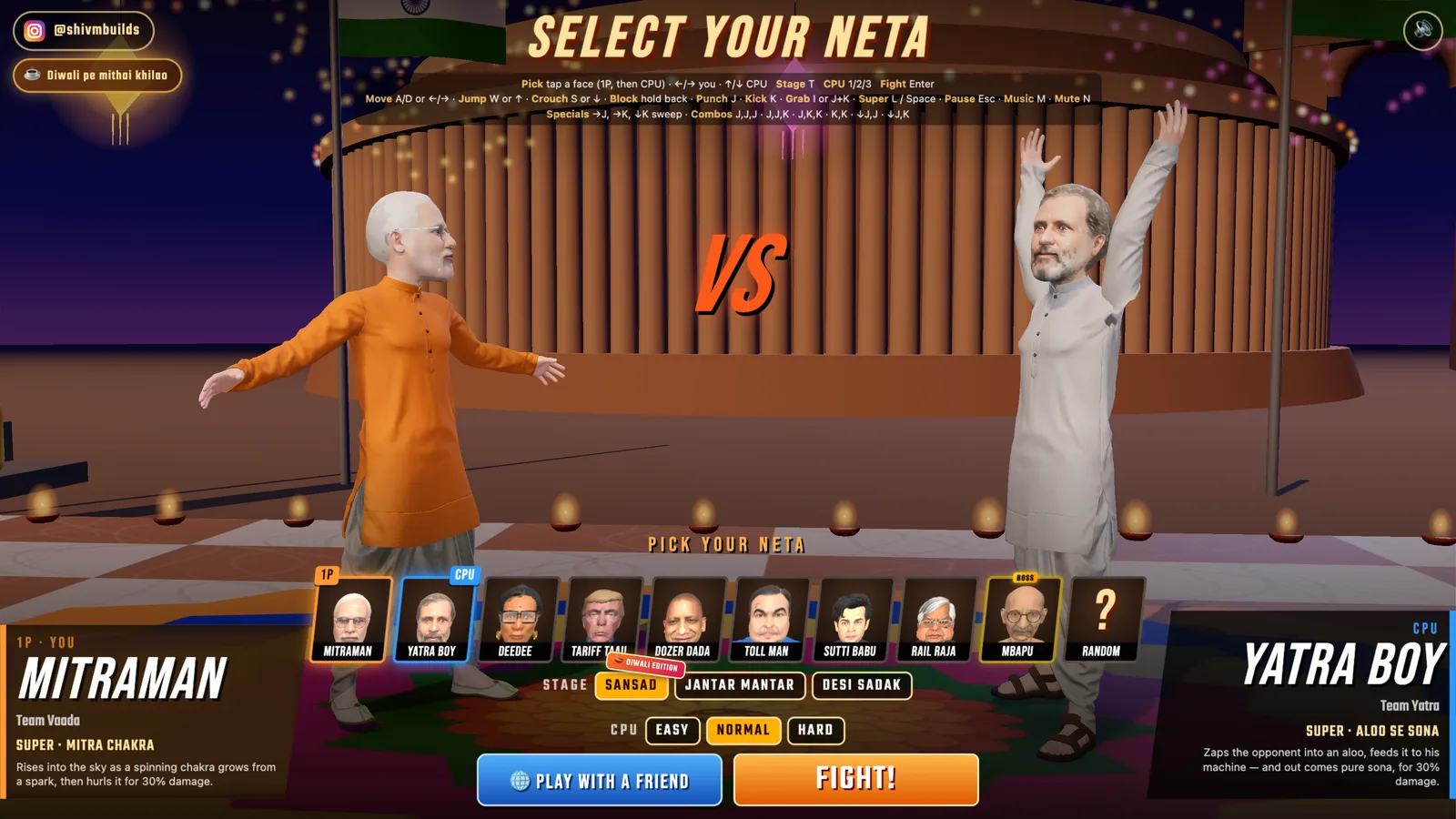
The fighter select screen lists the full control map. Everything is keyboard-driven on desktop:
| Action | Keys |
|---|---|
| Move | A / D or ← / → |
| Jump | W or ↑ |
| Crouch | S or ↓ |
| Block | Hold back (away from the opponent) |
| Punch | J |
| Kick | K |
| Grab | L |
| Super | I or Space |
| Fight / confirm | Enter |
| Pick stage | T |
| CPU difficulty | 1 / 2 / 3 |
| Pause | Esc |
| Music / mute | M / N |
Specials and combos
Specials are directional button inputs, and every fighter renames them to fit their persona — MITRAMAN throws a ‘DEMONETIZATION PALM!’, YATRA BOY kicks off a ‘LAMBI YATRA KICK!’, and DEEDEE’s grab becomes ‘CHAPPAL CHAMATKAR!’. The inputs stay the same for everyone:
| Input | Move |
|---|---|
| → + J | Special 1 |
| → + K | Special 2 |
| ↓ + K | Sweep |
| J, J · J, J, K · J, K, K | Punch chains |
| K, K · ↓, J · ↓, K | Kick chains and lows |
| I or Space with a full meter | Super move |
The super meter
Landing hits fills your meter; when it is full, I or Space triggers your fighter’s super — a cinematic attack that freezes the opponent. Supers are strong but not instant wins: MITRAMAN’s MITRA CHAKRA, for example, deals about 30% damage if it connects. Casting one empties the meter, so the real decision is when to cash it in.
CPU difficulty and stages
- CPU difficulty comes in three steps — 1 Easy, 2 Normal, 3 Hard — set before the fight.
- SANSAD — the parliament stage, currently dressed up in its Diwali edition with lamps and festoons.
- JANTAR MANTAR — the protest-ground stage.
- DESI SADAK — the street stage.
- Press T on the fighter select screen to cycle stages.
Tips for your first fight
- Block is directional: hold away from the opponent, not a dedicated button — walking backwards is your defense.
- The sweep (↓ + K) is your answer to opponents who jump a lot; it catches grounded approaches and starts the ↓, K chain.
- Grabs (L) beat blocking. If the CPU is turtling on Normal or Hard, grab instead of hammering punch.
- Don’t hold onto a full super for the KO — a 30%-damage super spent mid-round to break pressure is usually worth more than a finisher you never land.